When you see this message,
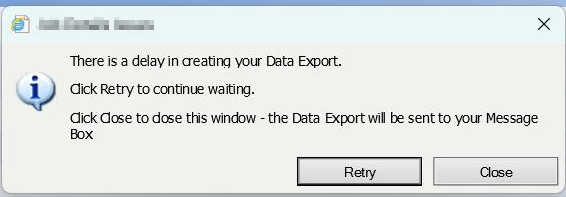
This means that there is a bad report or data export that is stuck and is blocking all other reports from processing.
Things to try:
Query reports and data export queue
select top 100
 SUBMITTED, *
from [dbo].OC_EXPORTQUEUE q
order by q.SUBMITTED
select top 100
NEXTRUNTIME, *
from OC_REPORTS_REPORTQUEUE q
order by q.NEXTRUNTIME desc
These tables contain requests to generate reports or data exports. Reports and Data Extract services monitor these tables and once processed remove records from here. But you might see that there are records stuck in one of those tables. Find the oldest record and remove it.
After that you will need to restart the services that belong to HRNet: HRNet Export Service and HRNet Reports Service. You might find yourself unable to restart one of the services. For that you’ll need some command line with admin privileges:
sc queryex "HRNet Reports Service"
This will produce a host of information but all you need is the process ID tagged as PID. Grab the PIT for the next command:
taskkill /f /pid {PID}
This will actually kill the service for you. Now go make sure that the service and the service panel are actually stopped and started again. That should get the service unstuck. Once it’s done make sure the number of records in the queue is diminishing.